Email Marketing for Event Venues: 7 Mistakes That Cost Bookings
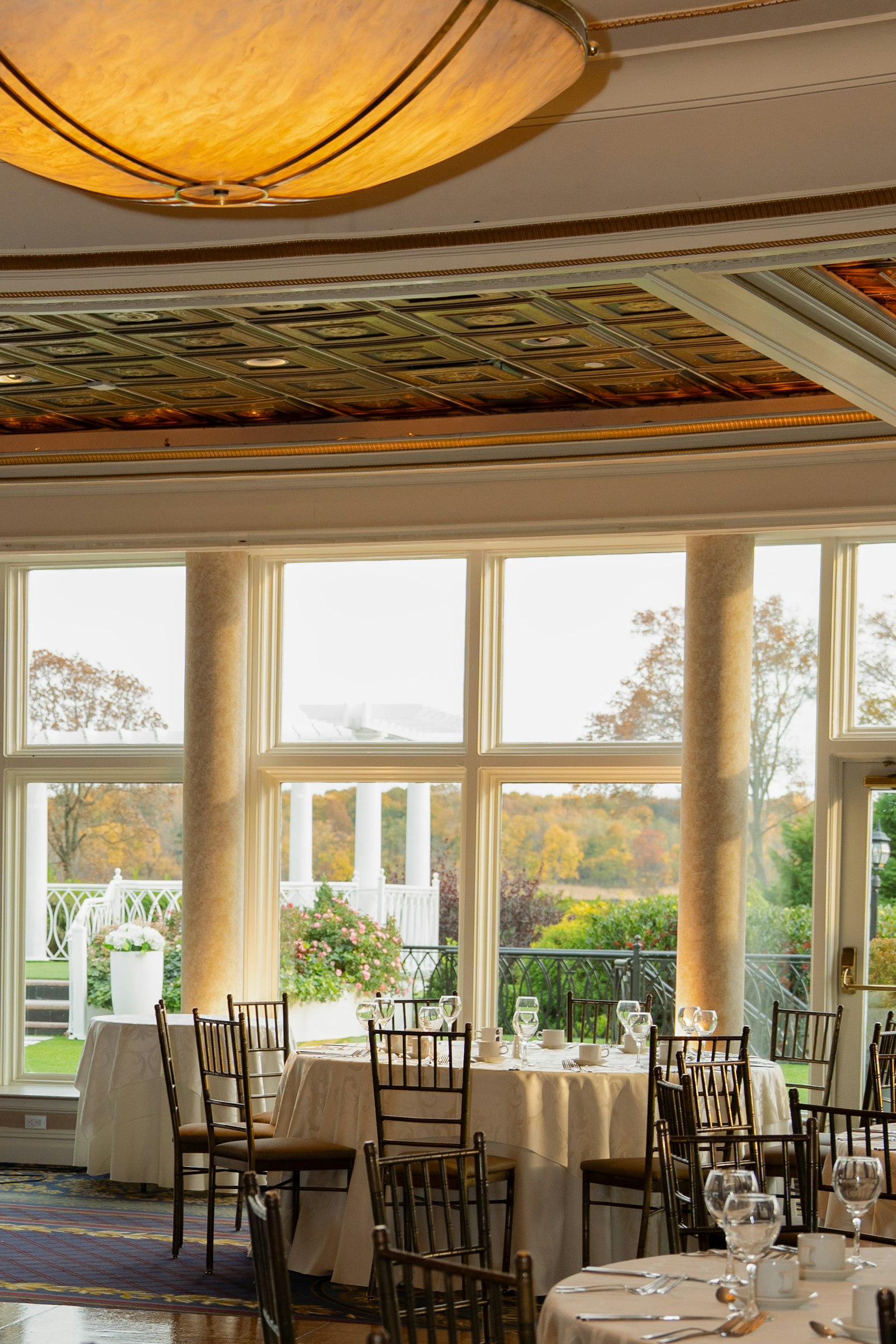
Your venue probably already owns one of the most valuable marketing assets it will ever have: a list of email addresses. Every couple who toured the hall, every office manager who asked about a holiday party, every parent who booked a quinceañera has handed you a way to reach them directly, with no algorithm in the way. Yet for most venues, email marketing for event venues looks like this: a burst of messages when a date opens up, then silence for six months.
The good news is that the problems are usually the same handful of mistakes, and every one of them is fixable. Below are seven of the most common ones, plus a simple step-by-step plan to get yours working.
Why email marketing for event venues is worth getting right
Event bookings are high-value and slow to decide. A wedding couple might compare venues for months. A company planning a year-end party starts asking in late summer. Social posts scroll away in hours, but an email sits in an inbox until someone is ready to act. That makes email a natural fit for a business where the sales cycle is long and every booked date matters.
Email is also the one channel you control. Your list doesn't disappear if a platform changes its rules. That's why email marketing for small business owners keeps paying off: you build it once and use it for years.
Mistake 1: Treating inquiries as "done" after one reply
Someone fills in your contact form asking about a Saturday in June. You reply with pricing. They don't answer. Most venues stop there.
But people who don't reply usually haven't said no. They're busy, they're comparing, or they're waiting on a partner or a boss. A short, friendly follow-up sequence (for example, a reply on day one, a check-in with photos of a similar event on day three, and a "still holding that date?" note a week later) keeps you in the conversation without being pushy. This is exactly the kind of email automation that can run on its own once it's set up.
Mistake 2: Emailing people who never signed up
It's tempting to buy a list of "local event planners" or to add every business card from a bridal fair to your newsletter. Don't.
Google's own email sender guidelines tell senders not to buy email addresses and not to message people who didn't sign up, because those recipients tend to mark messages as spam (Google). Yahoo's sender rules say the same thing in practice: keep complaint rates low or your mail suffers (Yahoo Sender Hub). A small list of people who asked to hear from you beats a big list of strangers every time.
The fix: add a clear "Send me open dates and seasonal offers" checkbox to your inquiry form and tour sign-in sheet. Leave it unchecked by default. Google specifically advises against opt-in boxes that are pre-checked.
Mistake 3: Forgetting the legal basics
The federal CAN-SPAM Act applies to all commercial email, not just bulk email. According to the Federal Trade Commission, every marketing email must (FTC):
- Use honest "From" names and subject lines that match the content
- Identify the message as an advertisement
- Include a valid physical postal address
- Give people a clear way to opt out, and honor opt-outs within 10 business days
This isn't a small detail. The FTC's guide says each email that breaks the law can bring penalties of up to $53,088, the same per-violation amount listed in the federal regulation that sets FTC civil penalties (eCFR, 16 CFR 1.98). Most email platforms add the address and unsubscribe link for you. Just make sure they're actually turned on.
This is general information, not legal advice. If you're unsure, check with an attorney.
Mistake 4: Sending from a Gmail or Yahoo address
Many venue owners send their newsletter from a free personal address. That makes it much harder to reach the inbox.
Google now requires every sender to authenticate email with SPF or DKIM, and anyone sending 5,000 or more messages a day to Gmail needs SPF, DKIM and DMARC, plus one-click unsubscribe (Google). Yahoo has matching requirements (Yahoo Sender Hub). Those settings live on a domain you own, like events@yourvenue.com, so a free address simply can't pass them for your brand.
The fix: send from your own domain and have whoever manages your website or email turn on SPF, DKIM and DMARC. It's a one-time setup.
Mistake 5: Only sending "We have a date open!"
If every email is a last-minute sale, people learn to ignore you, or worse, they wait for the discount. Mix in emails that are useful even when someone isn't ready to book:
- A real event recap with photos (with your client's permission)
- "How to plan a holiday party for 40 people" checklists
- Seasonal menus or décor packages
- Behind-the-scenes looks at a setup or a new space
Helpful emails keep your venue top of mind, so when the reader is ready to book, you're the first name they think of.
Mistake 6: One message for everyone
A bride planning a 150-guest wedding and an HR manager planning a team lunch want completely different things. Sending them the same email means it fits neither.
The fix: sort your list into a few simple groups: weddings, corporate events, private parties, and past clients. Even two or three groups make your emails feel personal. Most email platforms let you tag contacts automatically based on what they picked on your inquiry form.
Mistake 7: Ignoring your spam complaints
You don't need a dashboard full of numbers. But one number matters a lot: how often people mark your email as spam. Google asks senders to keep their spam rate under 0.10% and never reach 0.30% (Google). Yahoo also says to stay below 0.3% (Yahoo Sender Hub). Cross those lines and more of your emails land in spam, even for people who want them.
Interestingly, Google also notes that it doesn't track open rates and that low open rates aren't necessarily a sign of a deliverability problem. So don't panic over opens. Watch complaints, replies and booked tours instead.
A simple step-by-step plan for your venue
Here's how to set up email marketing for an event venue in one afternoon:
- Pick an email platform that handles unsubscribe links, your postal address and contact tags automatically.
- Set up your domain email (for example, hello@yourvenue.com) and turn on SPF, DKIM and DMARC.
- Add an unchecked opt-in box to your website inquiry form and your tour sign-in sheet.
- Import only people who opted in, then tag them: wedding, corporate, private party, past client.
- Build a three-email inquiry follow-up that sends automatically when someone fills in your form.
- Plan one helpful email a month, like a recap, a checklist or a seasonal package, plus a short "open dates" note when you truly have them.
- Check your complaint rate and replies monthly and remove people who haven't engaged in a long time.
What "good" looks like after 90 days
You'll have a growing list of people who asked to hear from you, an automatic follow-up that catches inquiries you used to lose, and a steady monthly email that reminds past clients you exist. That's a foundation you can build on for years.
Frequently asked questions
How often should an event venue send marketing emails?
Once or twice a month works for most venues. That's often enough to stay remembered without wearing people out. Automated follow-ups for new inquiries are separate and should go out right away.
Can I email people who toured my venue but didn't book?
If they gave you their email and agreed to hear from you, yes, and they're often your best prospects. If they only gave it for a single quote, send your follow-up about that inquiry, then invite them to join your list rather than adding them automatically.
Do I need a separate email list for weddings and corporate events?
You don't need separate lists, but you should tag contacts by event type. One list with tags is easier to manage and lets you send the right message to the right people.
Let Helmio Digital set it up for you
Running a venue leaves little time for email platforms, domain settings and follow-up sequences. Helmio Digital helps Bay Area small businesses set up email marketing, inquiry follow-up automation and the technical pieces that keep your messages out of spam, so your list starts booking dates instead of collecting dust.
Ready to get your email working? Send us a message through our contact form and tell us about your venue. We'll get back to you with ideas that fit your business.
Frequently asked questions
How often should an event venue send marketing emails?
Once or twice a month works for most venues. That's often enough to stay remembered without wearing people out. Automated follow-ups for new inquiries are separate and should go out right away.
Can I email people who toured my venue but didn't book?
If they gave you their email and agreed to hear from you, yes, and they're often your best prospects. If they only gave it for a single quote, send your follow-up about that inquiry, then invite them to join your list rather than adding them automatically.
Do I need a separate email list for weddings and corporate events?
You don't need separate lists, but you should tag contacts by event type. One list with tags is easier to manage and lets you send the right message to the right people.