Local SEO for Event Venues: 7 Mistakes That Hide You on Google
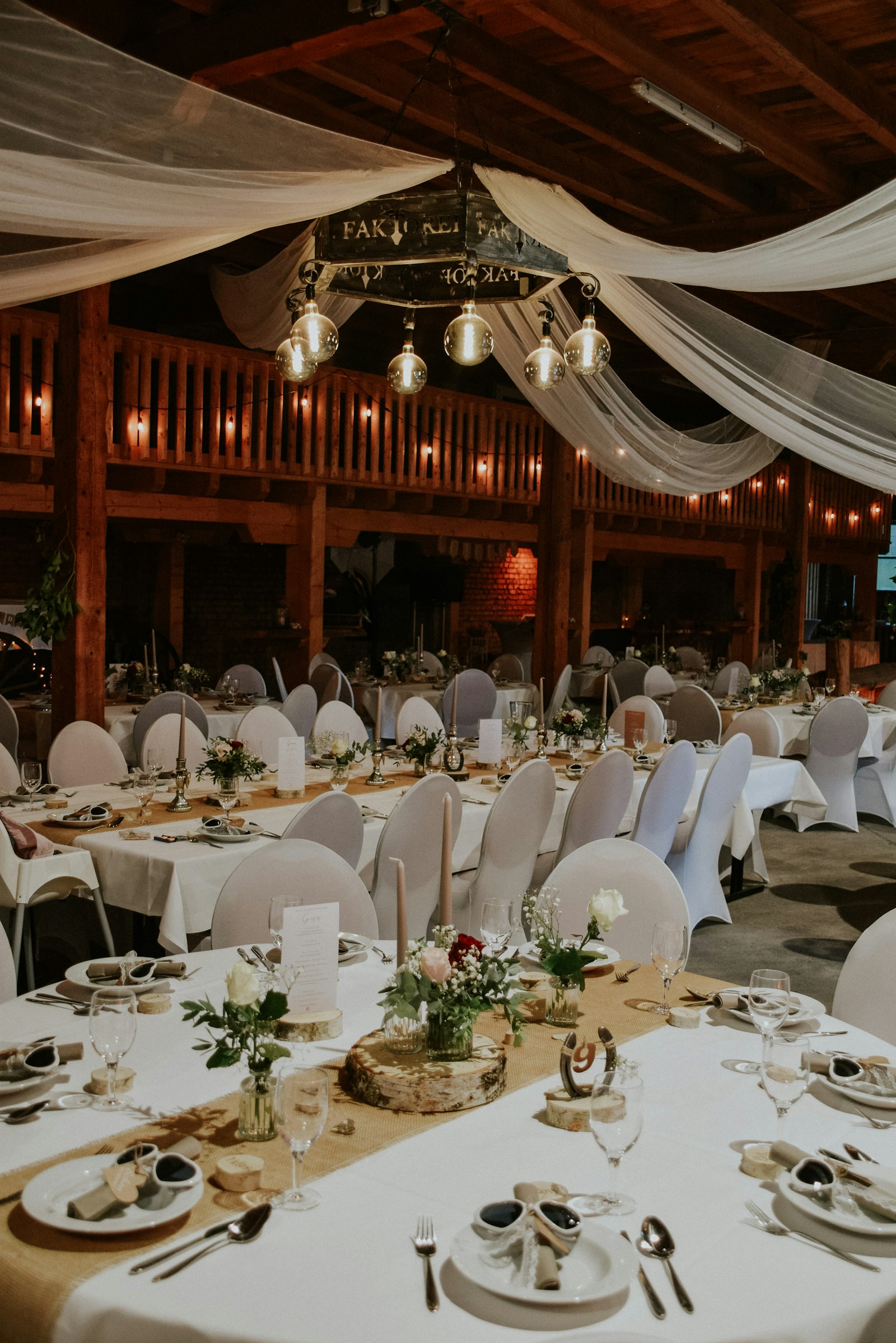
Picture a couple searching "wedding venue near me" on a Sunday night. Your hall is ten minutes away. Your space is beautiful. But Google shows them three other venues, and you never even know you lost the booking.
That is the quiet cost of weak local SEO for event venues. Most venue owners are not doing anything "wrong" on purpose. They are making a handful of small, common mistakes that make it harder for Google to understand and trust their business.
The good news: almost every one of these mistakes is free to fix. Let's walk through the seven we see most often, then give you a simple step-by-step plan.
How Google Decides Which Venues to Show
Before the mistakes, it helps to know the rules of the game. Google says its local results are based mainly on three things: relevance, distance and prominence. Search Engine Land reported the same three factors when Google first documented them.
- Relevance: how well your profile matches what someone searched, like "event space" or "banquet hall."
- Distance: how far your venue is from the person searching (or the area they typed).
- Prominence: how well-known you are, which includes things like your reviews and links to your website.
You can't move your building. But you can control relevance and prominence. And Google is clear that there is no way to pay for a better local ranking. It has to be earned.
The 7 Local SEO Mistakes Event Venues Make
Mistake 1: An incomplete Google Business Profile
Your Google Business Profile is the listing that shows up on Google Maps and in the "map pack" of search results. Many venues claim it, add an address, and stop there.
Google's own guidance says businesses with complete and accurate info are more likely to show up in local search results. Google's 2026 Business Profile playbook also reports that businesses with complete profiles receive 7x more clicks, a figure repeated in Whitespark's summary of the playbooks.
Fill in everything: hours (including "by appointment" if that's how you work), phone, website, a clear description, and every attribute that applies, such as wheelchair access or parking.
Mistake 2: The wrong (or too few) categories
Your primary category is one of the strongest signals for relevance. "Event venue," "Wedding venue," "Banquet hall" and "Conference center" are different categories, and each matches different searches.
Pick the primary category that best describes what most of your bookings are. Then add secondary categories for the other events you host. Google allows one primary and up to nine secondary categories. Only choose ones that are true. Adding categories you don't really serve can hurt more than help.
Mistake 3: Too few photos of the actual space
Event planners book with their eyes. They want to see the room set up for a wedding, a birthday, a corporate dinner, and empty, so they can imagine their own event.
Google reports that businesses that add photos to their profiles get 42% more requests for directions on Google Maps. South Australia's tourism commission shares the same figure in its guide for local businesses.
Upload real photos of different layouts, the entrance, parking, the kitchen or bar, and the outdoor space if you have one. Add new ones after events (with permission from your clients if guests appear).
Mistake 4: Not asking for reviews, or not replying to them
Reviews matter hugely in this industry because people book venues for once-in-a-lifetime moments. BrightLocal's 2026 Local Consumer Review Survey found that 97% of consumers read reviews for local businesses, a figure also reported by Digital Applied. The same survey found that 47% of consumers won't use a business with fewer than 20 reviews.
Replying matters too. In that survey, 80% of consumers said they're likely to use a business that responds to all of its reviews. Google itself says more reviews and positive ratings can help your local ranking.
Thank every reviewer by name and mention something specific about their event. Keep replies to negative reviews calm and helpful. Future clients are reading how you handle problems. (For more on this, see our guide to Google reviews for restaurants. The same ideas apply to venues.)
Mistake 5: Offering perks in exchange for good reviews
It is tempting to offer a discount for a five-star review. Don't. Google's rules say it's against its policies to solicit reviews through incentives. In the US, the FTC's 2024 rule also bans incentives conditioned on a review expressing a particular sentiment, positive or negative.
Instead, simply ask every happy client. The best time is a day or two after the event, while the excitement is fresh. A short text or email with your direct review link works well.
Mistake 6: A website that doesn't back up your profile
Your website supports your prominence and gives Google more context. Yet many venue sites are a single gallery page with no text.
Make sure your site clearly states your venue name, address and phone number exactly as they appear on Google. Add pages (or clear sections) for each type of event you host: weddings, quinceañeras, corporate events, birthdays. Include your guest capacity, what's included, and the neighborhoods and cities you serve. This helps your venue show up for searches like "event space for 150 guests in San Leandro."
Mistake 7: Setting up your profile once and forgetting it
A profile that hasn't changed in two years looks quiet to customers. Google recommends using Google Posts, including Event and Offer posts, and keeping your profile regularly updated.
Share open dates, holiday party packages, open-house tours and new décor. It takes ten minutes a week and keeps your listing fresh.
Your Step-by-Step Local SEO Plan for Event Venues
Here is a simple plan you can follow over the next month.
- Week 1: Audit your profile. Search your venue name on Google Maps. Fill in every empty field, check your hours, and confirm your name, address and phone match your website exactly.
- Week 1: Fix your categories. Choose the best primary category and add accurate secondary ones.
- Week 2: Upload 15–20 photos. Cover each room layout, the entrance, parking and outdoor areas.
- Week 2: Set up a review request. Create a short message with your Google review link and send it to every client after their event. No incentives.
- Week 3: Reply to every review. Start with the newest, then work back through older ones.
- Week 3: Update your website. Add event-type sections, capacity, and your service area.
- Week 4 and beyond: Post weekly. Share open dates, offers and recent setups.
If you want to keep past clients coming back for anniversaries and company parties, pair this with our tips on email marketing for event venues. And for a deeper look at profile setup, read our Google Business Profile guide for small businesses.
Let Helmio Digital Get Your Venue Found
You built a space where people celebrate the biggest moments of their lives. It deserves to be found. Helmio Digital helps event venues and other local businesses in the Bay Area with local SEO, Google Business Profile management, Google review automation and websites that turn searches into bookings.
Ready to get your venue in front of more planners and couples? Send us a message through our contact form and tell us about your venue. We'll get back to you with ideas tailored to your business.
Frequently asked questions
How long does local SEO take to work for an event venue?
It varies. Simple fixes like correcting your hours or categories can be picked up fairly quickly once Google processes them. Building reviews and prominence takes steady effort over months. Think of local SEO as an ongoing habit, not a one-time task.
Do I need a separate Google Business Profile for each room or hall?
Usually not. Google Business Profiles are for physical locations, not individual rooms. If you have one address, one profile is the norm. Show your different rooms through photos, your description and your website.
Can I pay Google to rank higher in the map results?
No. Google states there is no way to request or pay for a better local ranking. Google Ads can place a paid ad above results, but that is separate from your free local ranking.
Sources
- Google Business Profile Help, Tips to improve your local ranking on Google
- Google Business Profile Help, Complete your Business Profile
- Google, Business Profile Best Practices Playbook (2026)
- Google Business, Why claim your Business Profile
- Search Engine Land, Google documents local ranking factors
- Whitespark, Top takeaways from the new Google Business Profile playbooks (2026)
- South Australian Tourism Commission, Google Business Profile fact pack
- BrightLocal, Local Consumer Review Survey 2026
- Digital Applied, Online review statistics 2026
- U.S. Federal Trade Commission, Final rule banning fake reviews and testimonials (Aug 2024)